
15+ Best Free Portfolio WordPress Themes 2026!

A portfolio website is a standard and modern way to show an individual’s professional history. Especially people like writers and photographers have a high chance of getting famous and well-known among many people. Clearly, it leads to a big advantage to promote their work and get more offers. Considering that, we would like you to look at some best free portfolio WordPress themes for building an awesome portfolio website. With WordPress building, a website is as easy as baking a pie. Yes, you don’t need to have that special skill on technology to create a website. Just a few mins and a complete website will be ready instantly. WordPress is a big platform where you will find plenty of WordPress…

15+ Best Free Salon & Spa WordPress Themes 2026

In the present world, the beauty, salon, and spa business is one of the most leading among other businesses in the recent comparison. Besides that who are many people interested in starting their own spa and saloon-related business. They obviously get confused about the procedure of how businesses are run online without proper guidance. Taking this topic seriously we have selected a few free salon and spa WordPress themes which can be helpful for your self-development in the online arena. Along with that the themes mentioned below are free salon & spa WordPress themes are easy, simple, and can be used by the new builders as well.                          …

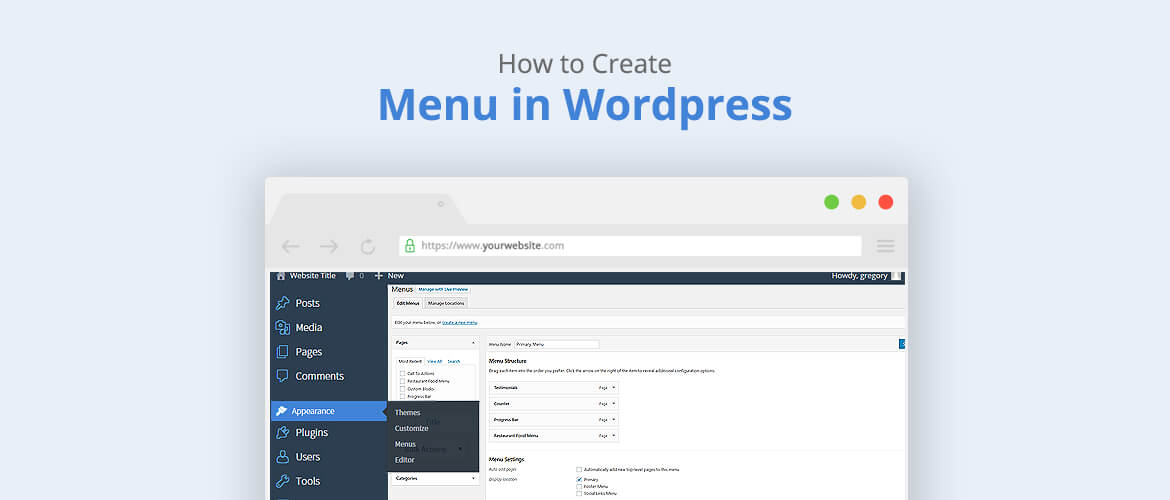
How to create a menu in WordPress?

WordPress is known to be the most popular and easiest platform for building websites. Create a menu in WordPress site is an important section which gives a structure of any website. With the help of menu, visitors will be able to decide which part of the website they want to go. Commonly, it is arranged either in the header or footer section. According to the requirements, we decide and create menus depending upon the themes and the sites. Here we will be discussing create a menu in WordPress from the page, categories, tags, posts, and custom links: 1. From the Dashboard click on Appearance >Menus 2.Insert a Menu name 3. Next, on the left side, you can add a post, page,…